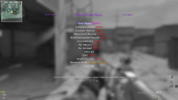
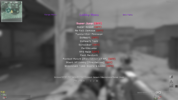
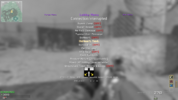
JINX MOD MENU — Created by Jinx. Inspired by Menace.
Hi everyone! I'm Jinx, and I'm sharing my mod menu made exclusively for Plutonium IW5 — Modern Warfare 3 (2011) on PC, intended for private matches hosted by you.
This project was inspired by Menace, the legendary mod menu from the PS3 era. It is my own project, not an official Menace release or a direct port.
Features
Download JINX_MW3_v0.16.21-beta.zip from the release assets.
Installation
Controller: Hold ADS + melee to open. Use the D-pad to navigate, reload to select and melee to go back.
Keyboard configuration: Copy jinx_keyboard.cfg into %localappdata%\Plutonium\storage\iw5\, then run exec jinx_keyboard.cfg in the console. Hold ADS, then press F1. Navigate with the arrow keys, Enter and Backspace.
Public beta — please read
Some features are still experimental or incomplete. The latest keyboard, vision and message-entry fixes need further in-game testing. Skeleton and Snap Lines are experimental; several legacy options remain unavailable. See the repository's known issues before installing.
XP Lobby and Ranked Match simulate progression. Separate Account Menu actions may change actual saved stats.
Source, documentation and known issues
When reporting bugs, include your menu version, Plutonium revision, map, input device, reproduction steps and any console error.
Created by Jinx. Inspired by Menace. Exclusively for Plutonium IW5.
Hi everyone! I'm Jinx, and I'm sharing my mod menu made exclusively for Plutonium IW5 — Modern Warfare 3 (2011) on PC, intended for private matches hosted by you.
This project was inspired by Menace, the legendary mod menu from the PS3 era. It is my own project, not an official Menace release or a direct port.
Features
- Horizontal menu categories, animated RGB selection and customizable themes.
- Weapons, camos, perks, teleport and projectile options.
- Fun options, Forge, bots and player management.
- Controller controls and an optional keyboard configuration.
- An optional compact menu.
- Simulated XP awards for private-match fun.
Download JINX_MW3_v0.16.21-beta.zip from the release assets.
Installation
- Close the game and extract the ZIP.
- Copy jinx_mw3.gsc from the ZIP's scripts folder into:
%localappdata%\Plutonium\storage\iw5\scripts\ - Remove older copies of the JINX script to avoid loading duplicates.
- Start a private match as host.
Controller: Hold ADS + melee to open. Use the D-pad to navigate, reload to select and melee to go back.
Keyboard configuration: Copy jinx_keyboard.cfg into %localappdata%\Plutonium\storage\iw5\, then run exec jinx_keyboard.cfg in the console. Hold ADS, then press F1. Navigate with the arrow keys, Enter and Backspace.
Public beta — please read
Some features are still experimental or incomplete. The latest keyboard, vision and message-entry fixes need further in-game testing. Skeleton and Snap Lines are experimental; several legacy options remain unavailable. See the repository's known issues before installing.
XP Lobby and Ranked Match simulate progression. Separate Account Menu actions may change actual saved stats.
Source, documentation and known issues
When reporting bugs, include your menu version, Plutonium revision, map, input device, reproduction steps and any console error.
Created by Jinx. Inspired by Menace. Exclusively for Plutonium IW5.